For IKEA furniture · in your browser

The room planner for IKEA furniture.

Runs in your browser, no account, true product sizes.

  1. Draw the room to the measurements on your tape.
  2. Paste IKEA product links. The 3D model lands at its real size.
  3. See if it fits and get the shopping list.

Free · no account · your plan stays in your browser

Sheet A · 1:50groom-01
412 365 205 256.0
01 · Draw

Your tape measure is the source of truth.

Most planners hand you a rectangle and a fixed ceiling. Here you draw the shell you actually live in — walls at any angle, alcoves, chimney breasts, the works — and set your real ceiling height.

The distances you type are the clear, inside-the-room distances you measured. Wall thickness grows outward, so thickening a wall never shrinks your room or moves what stands against it.

measured 412 cm → drawn 412 cm. Always.
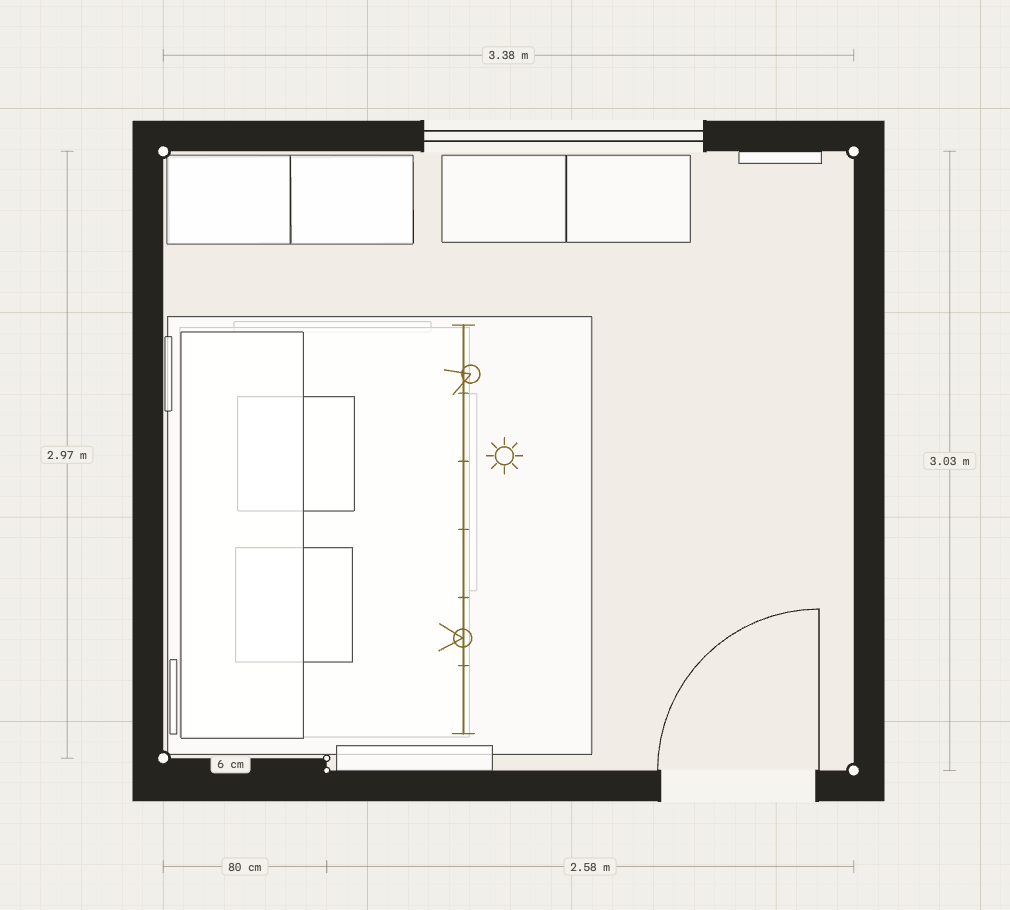
A real plan drawn in the 2D pane: a 3.38 by 2.97 metre room with a bed, wardrobes, a door swing and live dimension labels
2D pane · real projectdims live
02 · Furnish
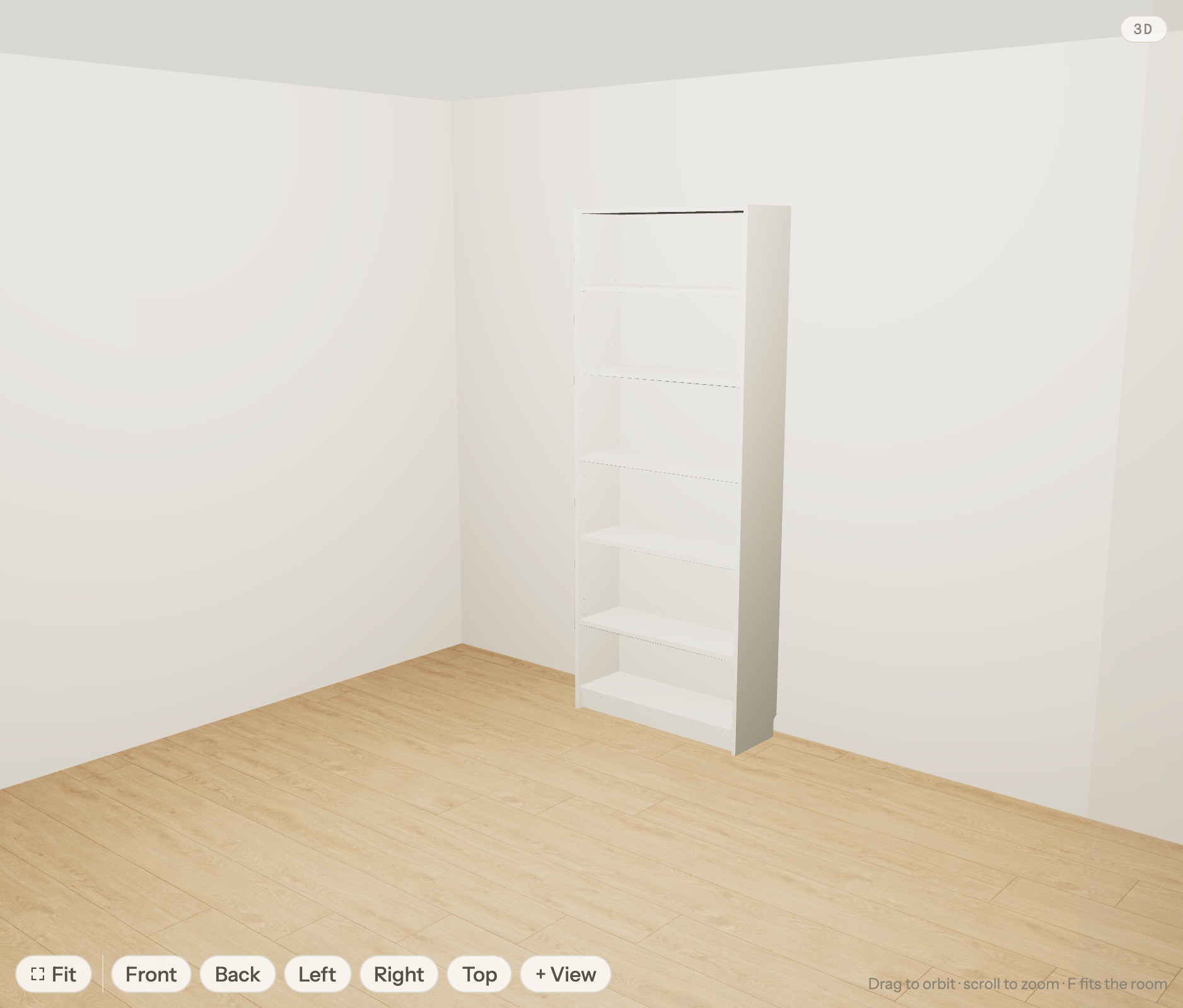
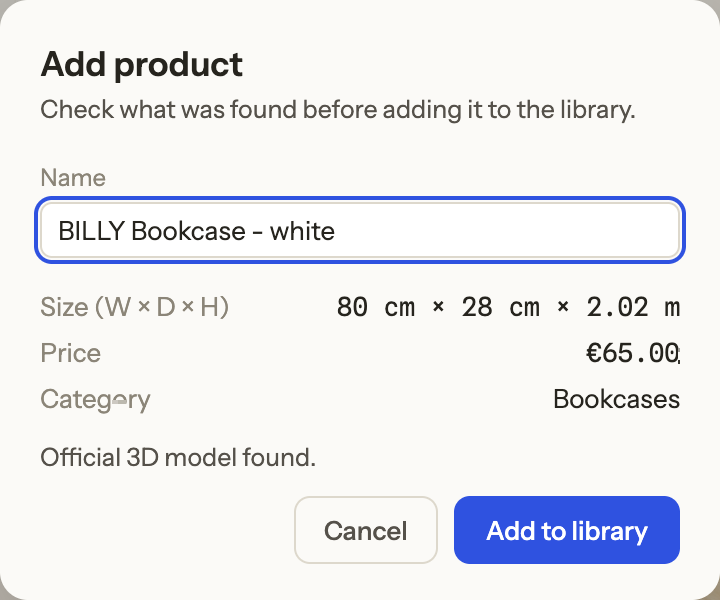
The official BILLY bookcase 3D model standing against the wall in the planner's 3D pane, at true size The Add product dialog after pasting an IKEA URL: BILLY Bookcase — white, 80 cm × 28 cm × 2.02 m, €65.00, official 3D model found
pasted URL · official modelreal 3D · true size

Paste an IKEA product link. Get the real thing.

No bundled catalog that never has your piece. IKEA publishes a 3D model on each product page, so a pasted link drops the real model into your room at true size, with the name, article number and the price from your store.

Links from other stores import as a box at the listed dimensions, so the fit question, does it go there?, still gets answered.

Prefer to shop first? The Model Importer extension adds a button to your toolbar: click it on the product page you're reading and the product jumps straight into your plan.

IKEA links import the 3D model · capture as you browse

03 · Judge

Draw flat. Decide in 3D.

The plan and the room sit side by side: sketch in the 2D pane and watch the 3D room update as you go. Drop a measure tape on anything — walking gaps, TV distance, door swings.

Set your window direction and time of day to see the actual sunlight your room gets, place lamps and LED strips, and read the whole thing as a parts list when you're done.

2D + 3D · live measurements · sun by the clock

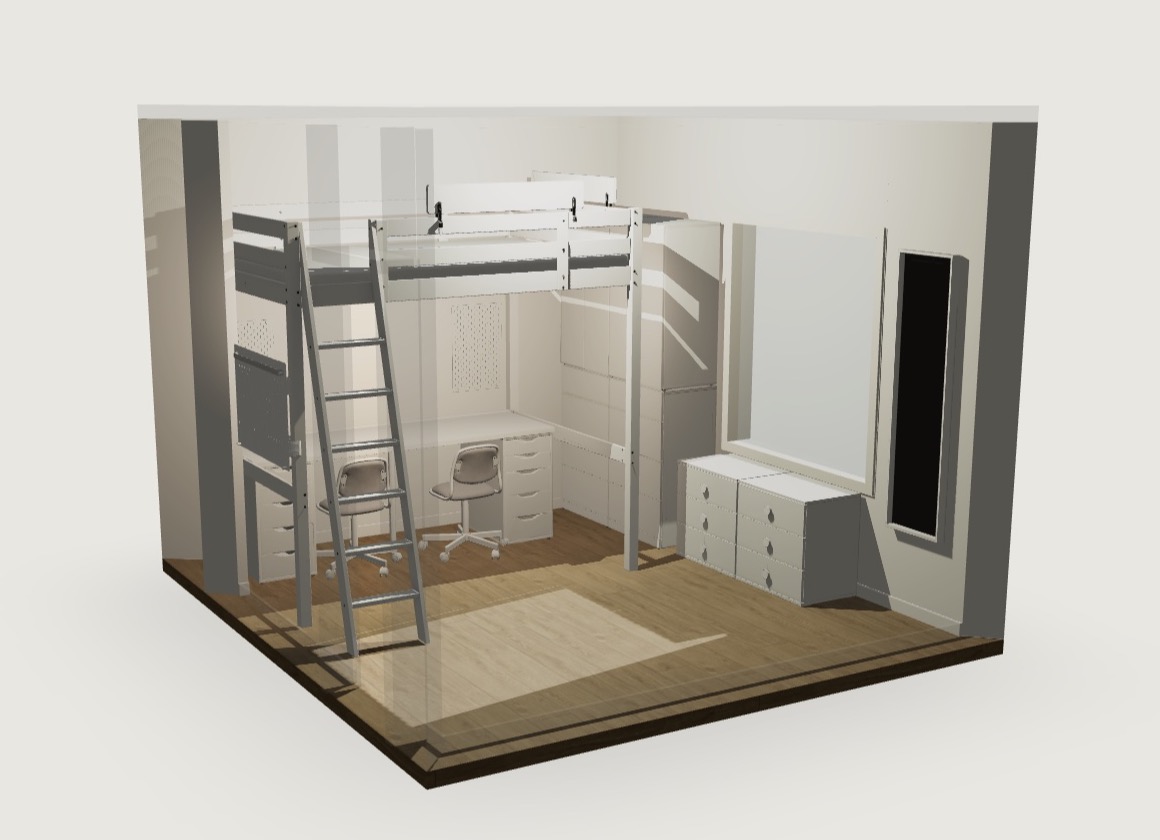
The 3D pane: a kids' room with a loft bed, desk with two chairs and chests of drawers — real IKEA models — lit by daylight
3D pane · the same roomdaylight on
04 · Walk it
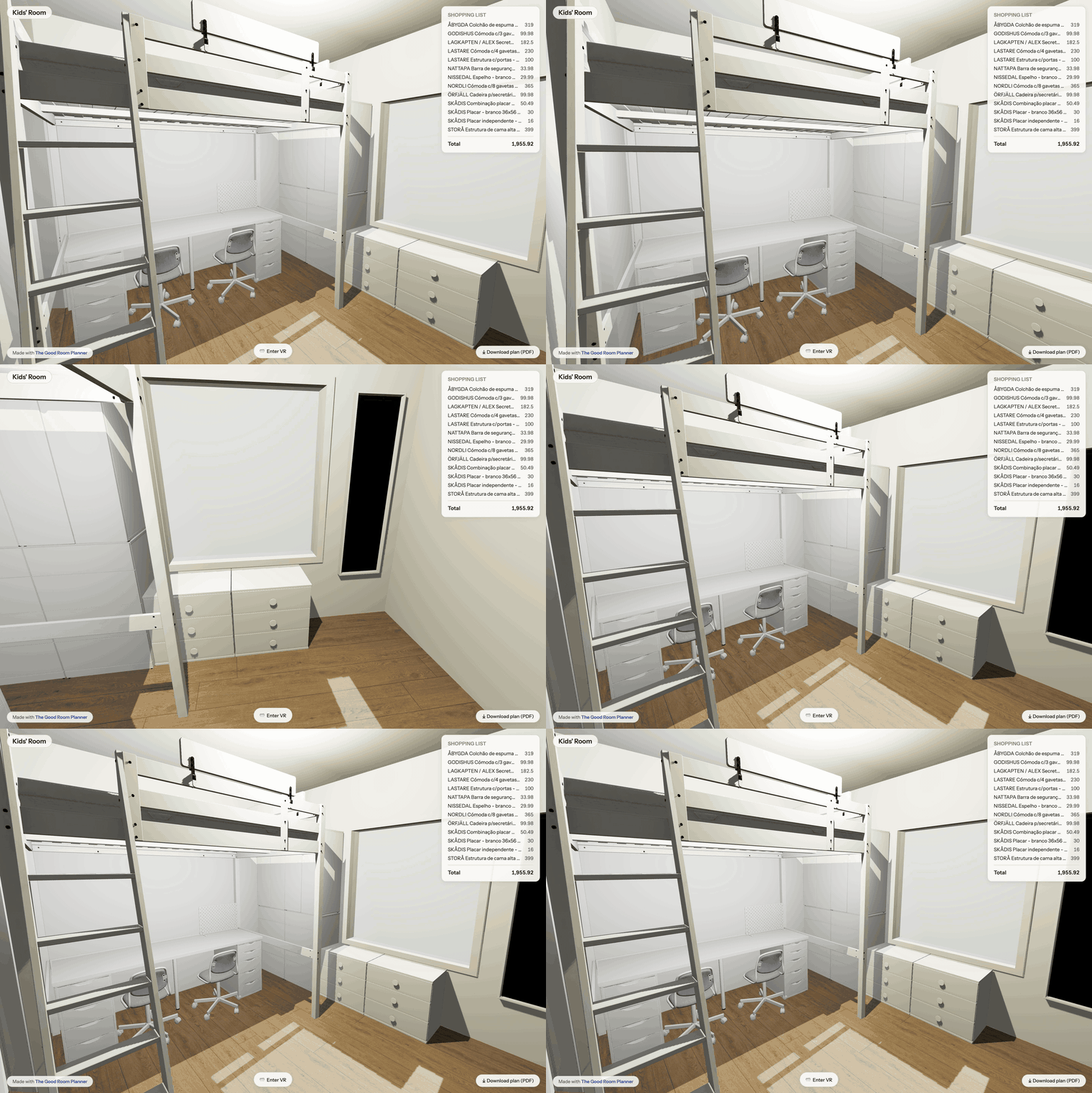
Walking through a planned kids' room at eye height in VR: the view sweeps from the loft bed over the desk to the dressers, with the shopping list and an Enter VR button
inside your plan · eye heightenter vr

Walk it at real scale — before you buy a single piece.

Got a VR headset? Open your room in its browser and an Enter VR button appears. One tap and you're standing in your plan at real scale — your eye height, your furniture, the walkway exactly as wide as it will really be. Nothing to install; it runs in the headset's own browser.

Pictures make you guess whether the sofa crowds the doorway. Standing there, you just know — the mistakes that only scale reveals show up before the checkout, not after the delivery.

real scale · your eye height · works on a Meta Quest's browser

Appendix · Spec sheet

Everything in the box.

Pro, $9 once

Free covers one project with 5 items and a watermarked PDF. Pro removes the caps, drops the watermark and adds the IKEA shopping list with article numbers, prices and the total. One purchase, no account, works on 5 devices.

See Pro

No signup · runs in your browser

Stop guessing whether it fits.

Your plan autosaves in your browser and exports as a single file you own. Open the planner, draw your first wall, and know for sure.

Open the planner